Google Play publishing checklist: prepare your app for submission
By Vikas Bharat Yadav · Published by VikasBuilds · Published · Updated
Publishing involves more than uploading an app file. The build, store listing, declarations and account requirements need to agree with what the app actually does. Use this checklist before requesting VikasBuilds publishing support. Google reviews the submission and decides whether it can go live.
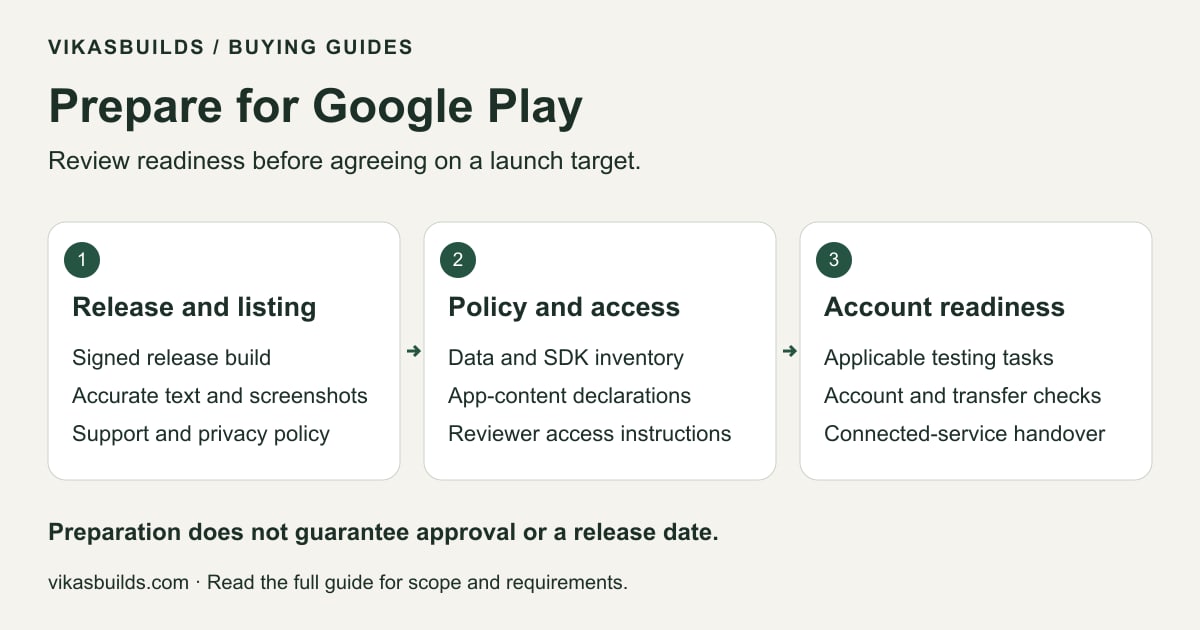
Read the diagram as text
- Release and listing
- Signed release build
- Accurate text and screenshots
- Support and privacy policy
- Policy and access
- Data and SDK inventory
- App-content declarations
- Reviewer access instructions
- Account readiness
- Applicable testing tasks
- Account and transfer checks
- Connected-service handover
Preparation does not guarantee approval or a release date.
1. Prepare the release build and identify the app
Have the app name, package name and a signed release Android App Bundle (.aab) ready. Test the actual release build, not only a development preview. If the app has already been published, say which account holds it and explain whether this is an update or a new app.
Android separates the upload key from the app signing key when Play App Signing is used. Confirm the signing arrangement before preparing an update or transfer. Share the build through an agreed download link; do not paste your account password, private signing key or keystore password into the enquiry form.
- App name, package name and release version
- Signed release .aab and a working download link
- Known issues and steps for important user flows
- Existing listing and account details, if applicable
2. Make the listing match the product
Prepare the description, icon, screenshots and public support contact. Use screenshots and descriptions that reflect the build being submitted. State which languages you need and whether you already have the listing text.
List features a reviewer needs to understand, including accounts, subscriptions, payments, ads or access to sensitive device capabilities. A publishing service can help prepare the listing, but it needs accurate information from the app owner.
- Accurate title and descriptions
- Icon and screenshots from the app
- Public support email and privacy-policy URL
- Supported languages and countries to discuss
3. Explain data, ads and restricted access
Review the App content tasks in Play Console, including ads, target audience, content rating and any permission declarations that apply. Prepare the Data safety answers from the app’s actual behaviour, including relevant third-party libraries and SDKs. Do not select “no data collected” simply because you did not write the collection code yourself.
Your privacy policy and declarations should describe the same product. If sign-in, membership, location restrictions or another gate prevents a reviewer from using important features, prepare the app-access instructions and suitable review access requested by Google. Review credentials are different from your developer-account password.
- Data and SDK inventory
- Privacy policy matching the app
- Ads, audience, rating and permission information
- Reviewer access and clear usage instructions
4. Check the requirements for the publishing account
Google’s current guidance for personal developer accounts created after 13 November 2023 requires a closed test with at least 12 testers continuously opted in for 14 days before applying for production access. Meeting that threshold allows an application for access; it is not an approval guarantee. Other requirements can depend on the app and account.
VikasBuilds offers submission from its organisation account followed by a transfer when the accounts and app are eligible. This does not remove app-policy obligations or guarantee approval. Agree on the publishing route and check the current requirements for the accounts involved before making a launch commitment.
5. Prepare the destination account and connected services
Google requires the original and target developer accounts to be registered and active for an app transfer. An app must meet the transfer requirements; do not assume that every app or linked service moves automatically.
Tell us about paid products, in-app products, Firebase, analytics, ads and other connected services. Google lists extra steps for some of these arrangements. Plan account ownership, access and service configuration as part of the handover. Account registration and other provider charges are separate from publishing support.
- Active destination developer account
- Any outstanding account or app-policy issues
- Paid products and connected-service inventory
- Who will manage updates after transfer
Send a preparation summary before setting a launch date
In your enquiry, say what is ready and what needs help: the release build, listing assets, declarations, testing and destination account. Mention a desired launch date as a target to discuss. Build corrections, account checks, Google review and transfer can each affect the schedule.
The development service’s 15-day delivery target is not a publishing or approval timeline. A saved request or a successful payment is also not proof of Google approval.
- My app and release build are [ready / need work].
- The app uses [accounts, SDKs, ads, payments and permissions].
- My listing, privacy policy and reviewer access are [status].
- The publishing and destination accounts are [status].
- I need help with [specific preparation tasks].
Official requirements
Checked on 16 October 2026. Requirements can change; review the linked guidance and your Play Console tasks before submission.